FOR HONOR
ROLE
Camera Specialist
DESCRIPTION
Design and implement cameras for : gameplay, menu, victory screen, executions, interaction, combat, movement, spectator, bird view map, transition and intro cinematics.
Design and implement eSports shoutcaster camera.
Year : 2017
Genre : Fighting PvP, PvE
Platform : PC, xBox, PlayStation
Cameras Examples

Combat Cameras
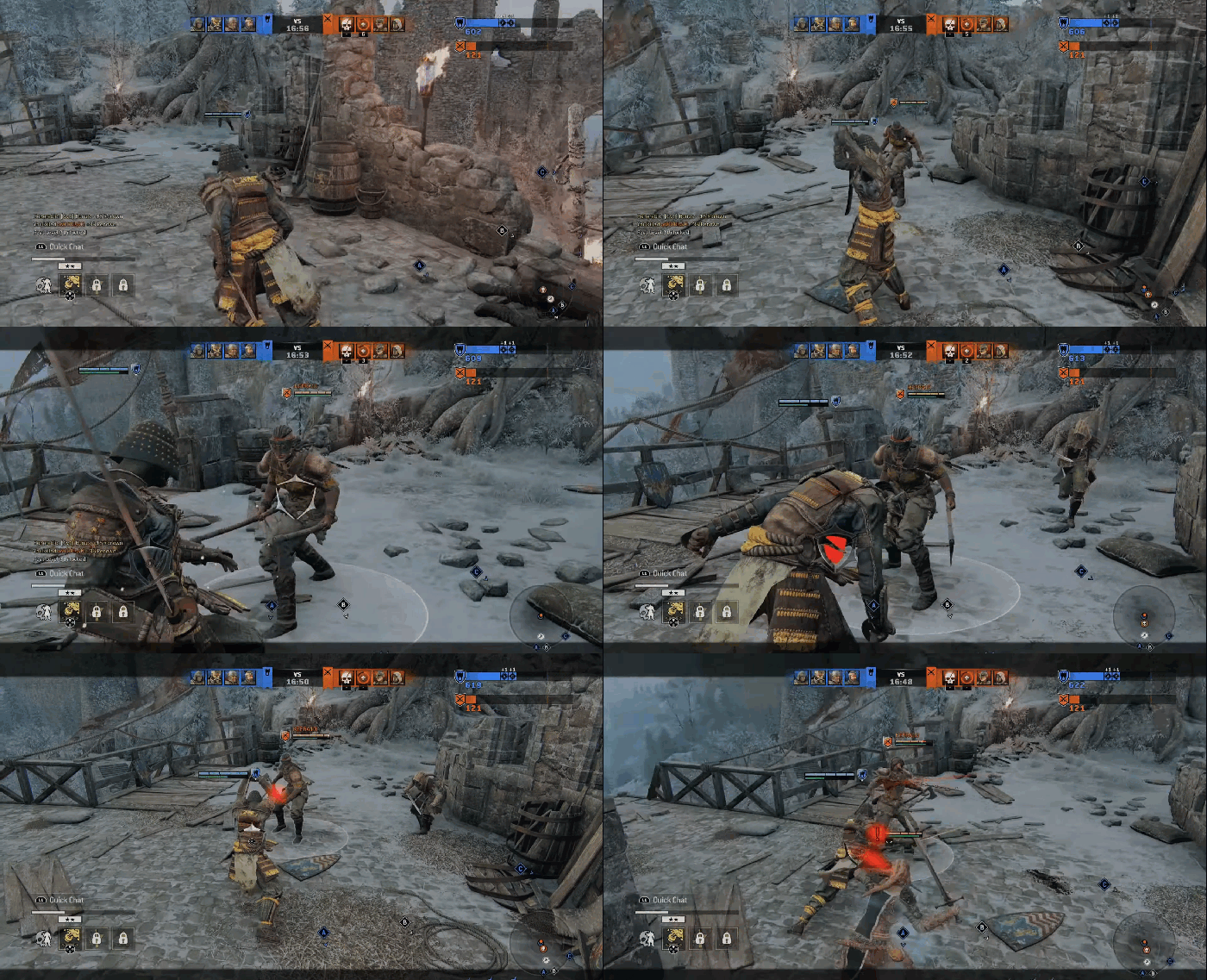
Safe - 1v1 locked - 1v2 focused
3 cameras are seen here; when the player is alone and safe, when the player locks in a 1v1 combat, and when the player gets ambushed by another enemy while locked in.
DESCRIPTION
- The first camera is a basic over the shoulder camera.
- The 1v1 focused camera is putting the enemy in the center of the screen and pushing the player to the side.
- The third camera is when the the camera detect another enemy entered its radius and backs up to show any attacks coming from the side or the rear.
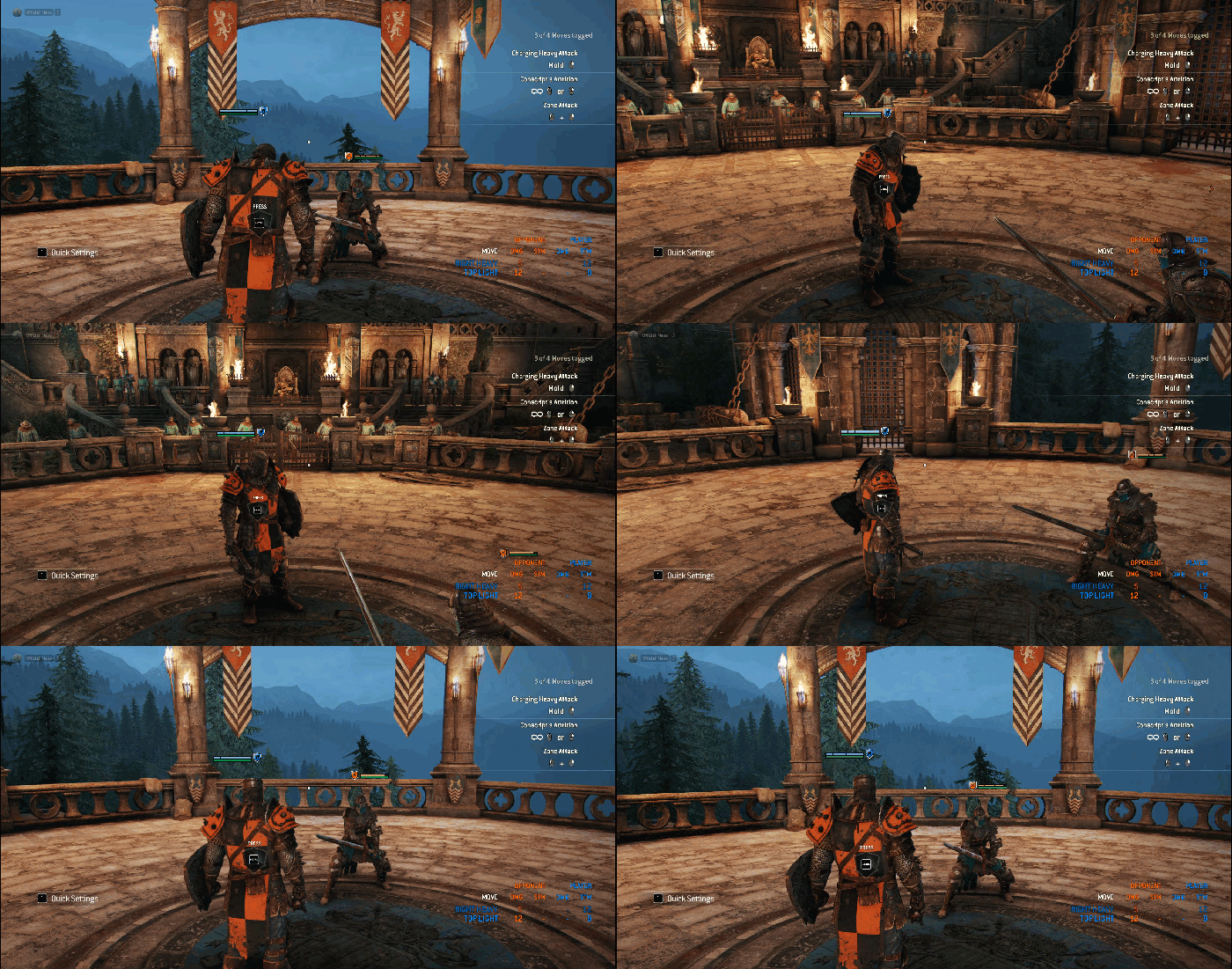
Free roaming camera enemy detection
Responsiveness of the free camera when an enemy enter the area.
DESCRIPTION
There is a pie chart around the player and the camera, depending of what direction the enemies are coming from the camera will react accordingly to give the player visibility in case an attack would come from the rear or side. Detection rage is always more responsive if an attack is coming from the left side as it is the side where the player has the least visibility after the back.

Menu Cameras


Landing Page
First menu screen the player sees.
DESCRIPTION
The size of the character varies a lot in For Honor, The framing had to fit the largest and the smallest characters while still showcasing the cosmetics.
Interaction Camera
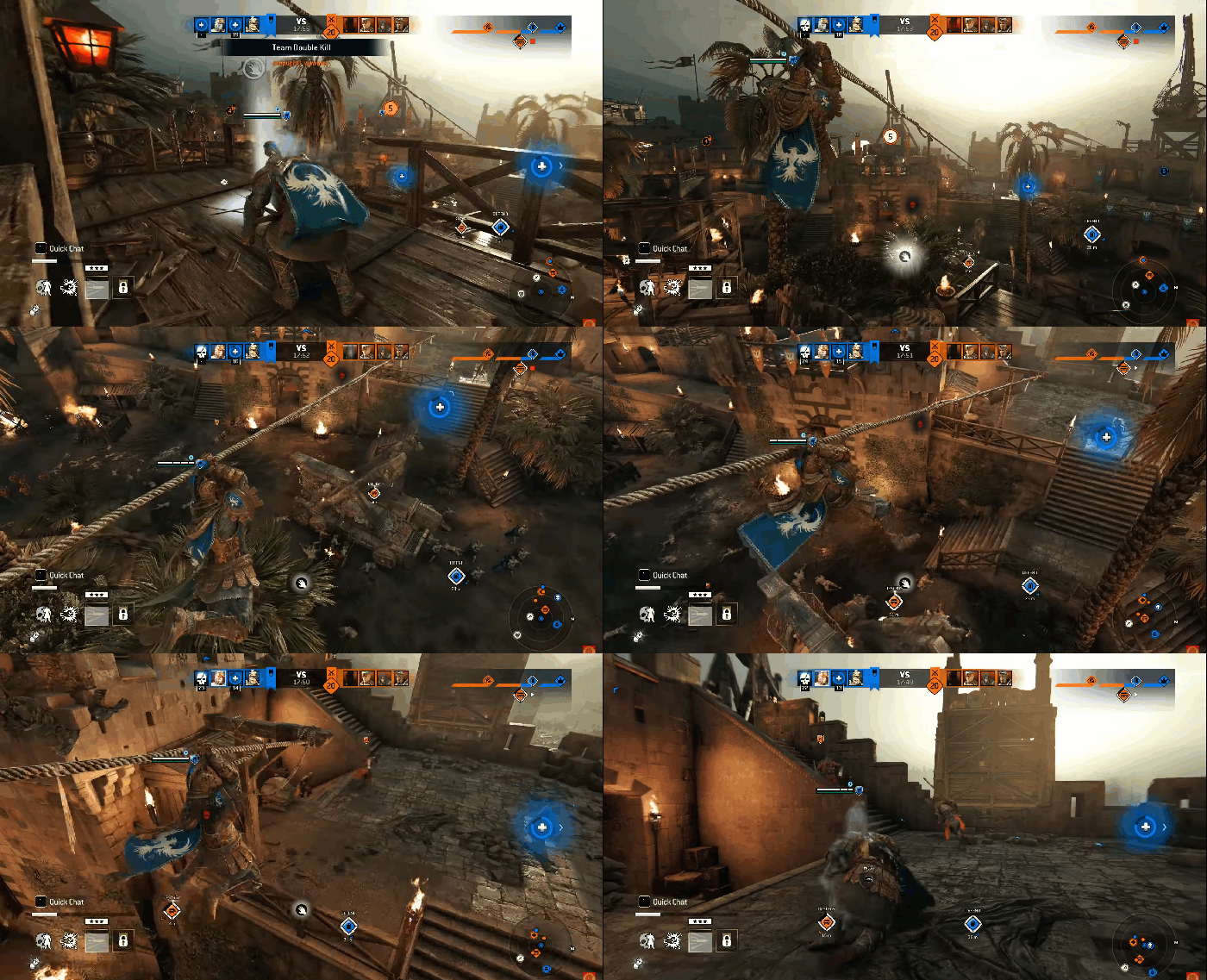
Rope Interaction
Interacting with a rope, player can move the camera around freely.
DESCRIPTION
High over the shoulder camera, a little more responsive when using a controller.
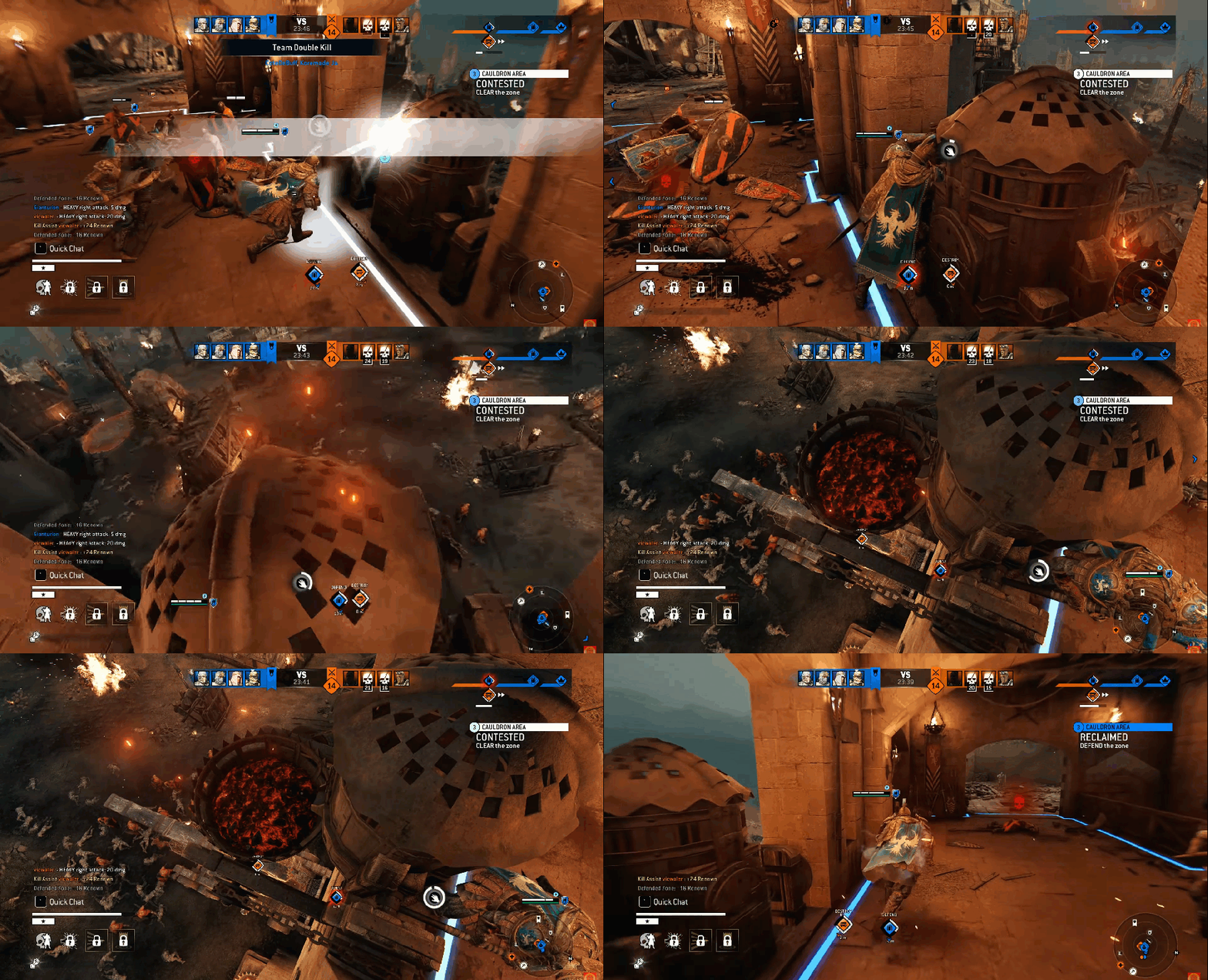
Cauldron Interaction
Interacting with a cauldron, player can't move the camera around, it is a fixed camera. High risk, high reward.
DESCRIPTION
Top down view of the area of attack, 2 point translation, end point is always the same, top down view of the cauldron, the starting point is always different depending on the angle of the players camera. I set a amount of time I wanted for the translation no matter where the camera was located. Goes back to default after interaction.
Customizations Camera


Other Cameras
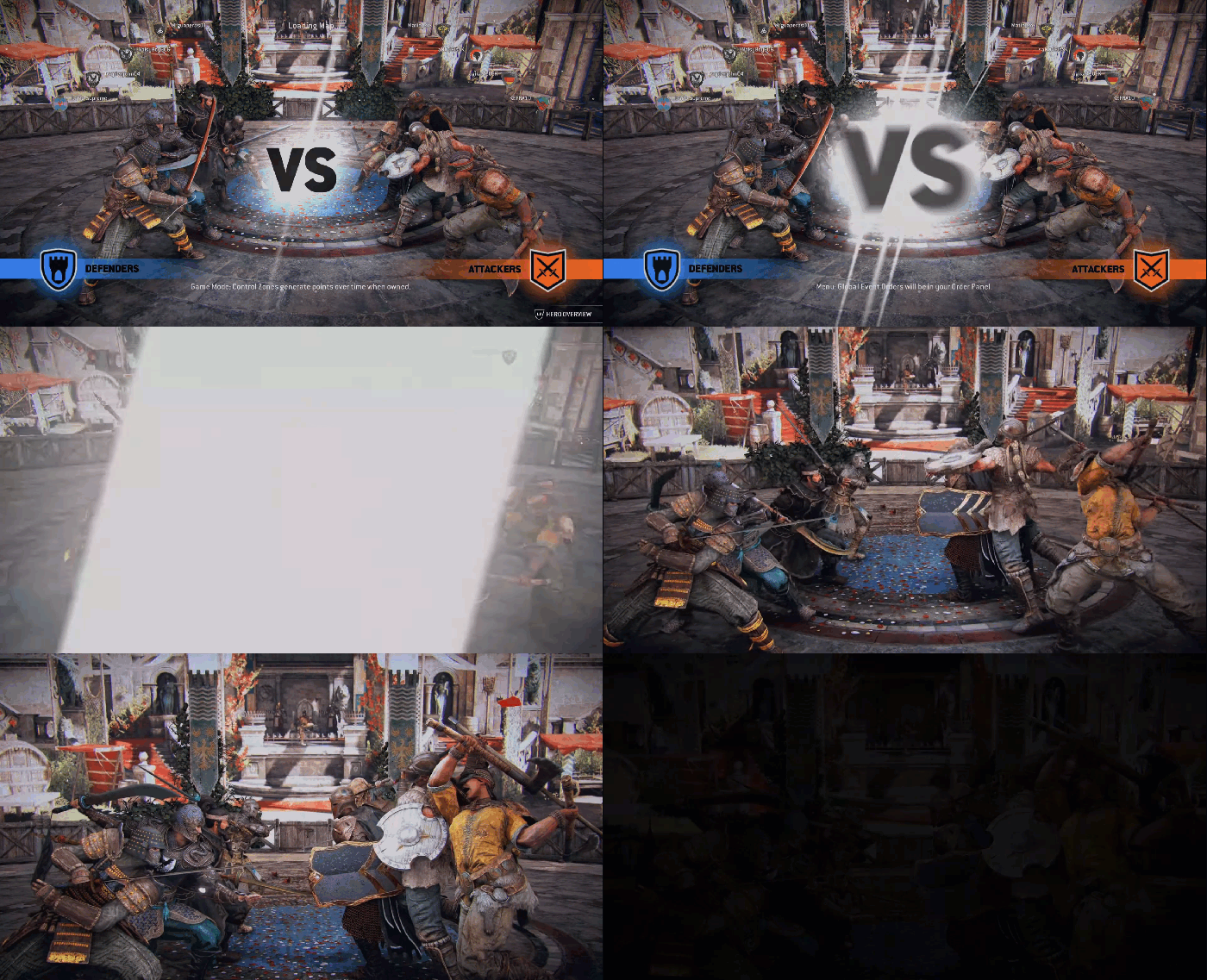
Teams Presentations Camera
Before the match begins the teams are seen facing off eachother.
DESCRIPTION
Translation using a bezier curve + damping + FOV change to the background forward + fade out.
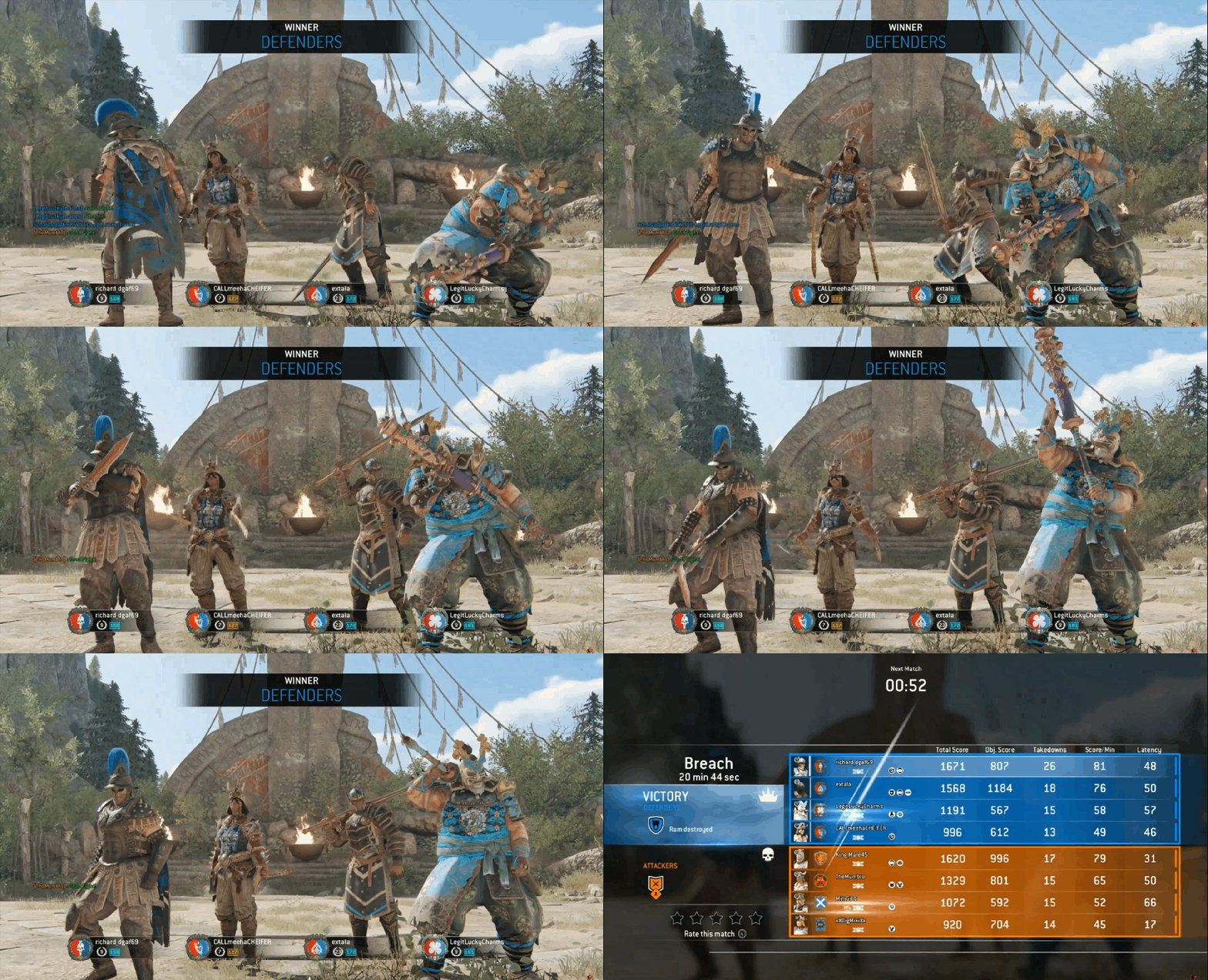
End of game victory screen
Before the match begins the teams are seen facing off eachother.
DESCRIPTION
Fixed low camera.
Things that had to be taken into consideration was that many character had victory poses with a lot more movement and I had to make sure that all the animation would fit framing.
© 2022 BY NEMANJA NENO PANIC.